Why WodShot How it works Pricing FAQ
WHITEBOARD WOD SCANNER

LOVED TODAY'S WOD?
SHOOT THE BOARD.

WodShot scans your CrossFit whiteboard: take one photo after class and AI turns it into a structured workout — movements, reps and loads, ready for your score. The board gets erased tonight. Your copy doesn't.

FREE TO START · WORKS WITH CHALK & MESSY HANDWRITING

ONE PHOTO ON THE
WAY OUT.

Ten seconds between the cooldown and the car. That's all the whiteboard needs.

01
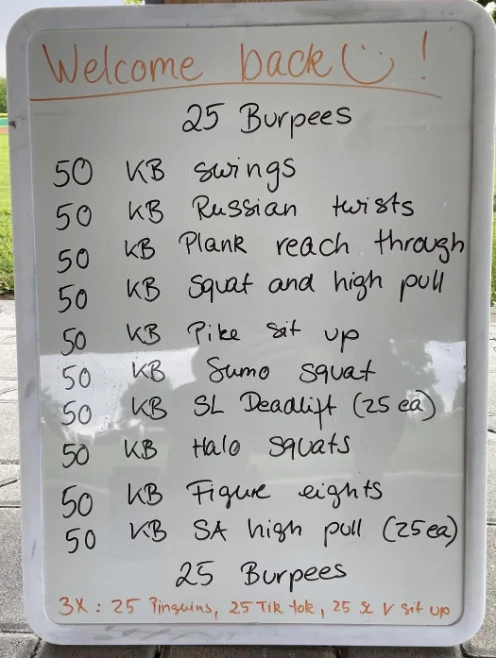
Taking a photo of a CrossFit whiteboard with an iPhone

SHOOT THE BOARD

One straight-on photo after class. Marker, chalk, coach shorthand, 21-15-9 — all fair game.

02
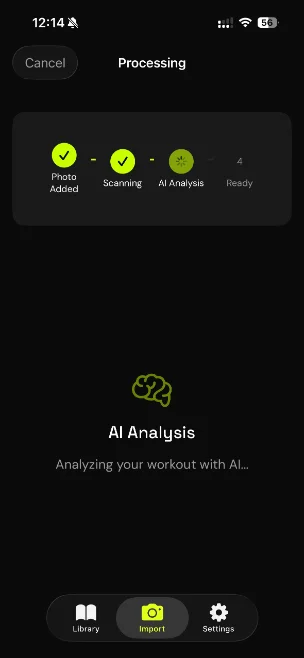
WodShot AI parsing a whiteboard photo into a structured workout

AI PARSES IT

On-device text recognition plus AI turns the photo into a clean, structured WOD. Review, fix, save.

03
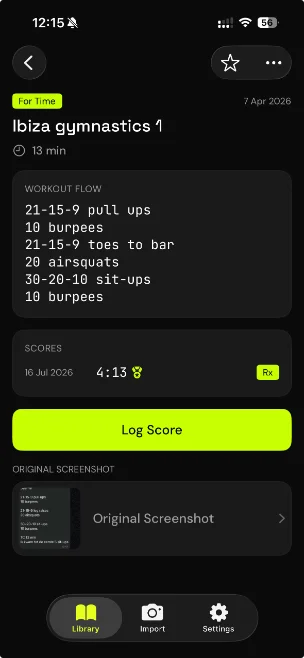
Logging a CrossFit score in the WodShot app

LOG YOUR SCORE

Rx or scaled, kg or lb. When the WOD comes back around, you'll know exactly what you have to beat.

Why not just keep the photo? A camera roll full of whiteboard photos is where WODs go to die — you can't search "that thruster EMOM from March," and there's no score attached. WodShot keeps the original photo and gives you the structured, searchable, scoreable version.

Box uses an app instead of a board? Screenshot the WOD in SugarWOD, btwb or Wodify and import the screenshot the same way. Your library stays yours even if you switch gyms.

QUESTIONS,
ANSWERED.

UPDATED JULY 2026

Is there an app that scans a CrossFit whiteboard?

Yes — WodShot is an iOS app that scans whiteboard photos of CrossFit WODs and turns them into structured, trackable workouts using AI. Take one photo after class and log your score against it.

Can it read messy handwriting and chalk?

Yes. WodShot combines on-device text recognition with AI that understands workout structure, so it handles coach handwriting, chalk boards, abbreviations like AMRAP and EMOM, and rep schemes like 21-15-9. Every import ends in a review screen so you can fix anything before saving.

Does the whiteboard photo leave my phone?

No. Text is recognized on your device; only the recognized text is sent for AI parsing. The photo itself never leaves your phone, and it stays attached to the saved workout for reference. Read the privacy policy.

What if my box uses SugarWOD, btwb or Wodify instead of a whiteboard?

Screenshot the WOD in your box's app and import the screenshot into WodShot — it parses app screenshots just like whiteboard photos. That gives you a personal library that isn't tied to your gym membership.

WodShot app icon

THE BOARD GETS ERASED.
YOUR SCORE DOESN'T.

Download on the App Store